📚 Help Center
Complete guide to EzEpoch AI Training Platform with AI Guardian (Patent Pending)
📸 Platform Screenshots — See What You're Getting
A complete visual walkthrough of every screen in EzEpoch
Login & Account
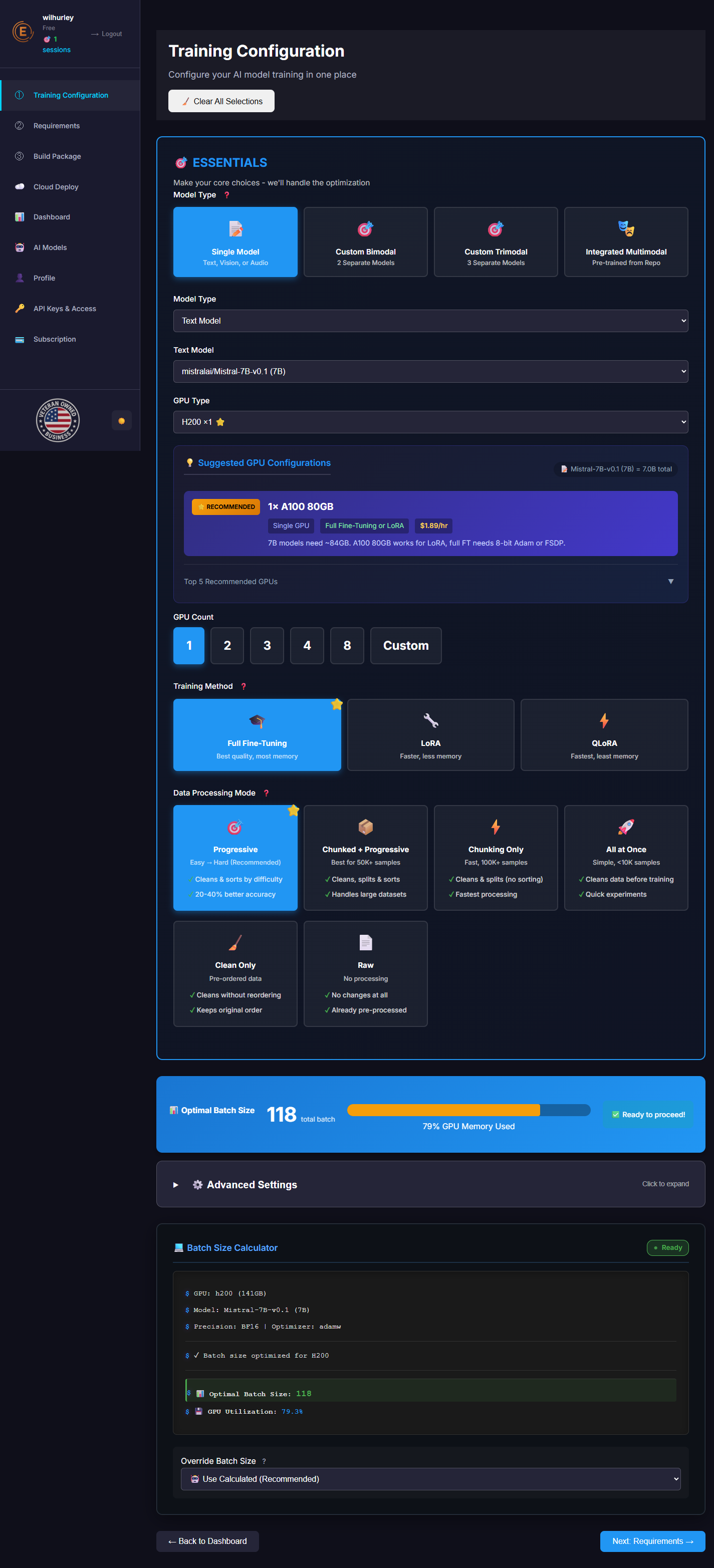
Training Configuration
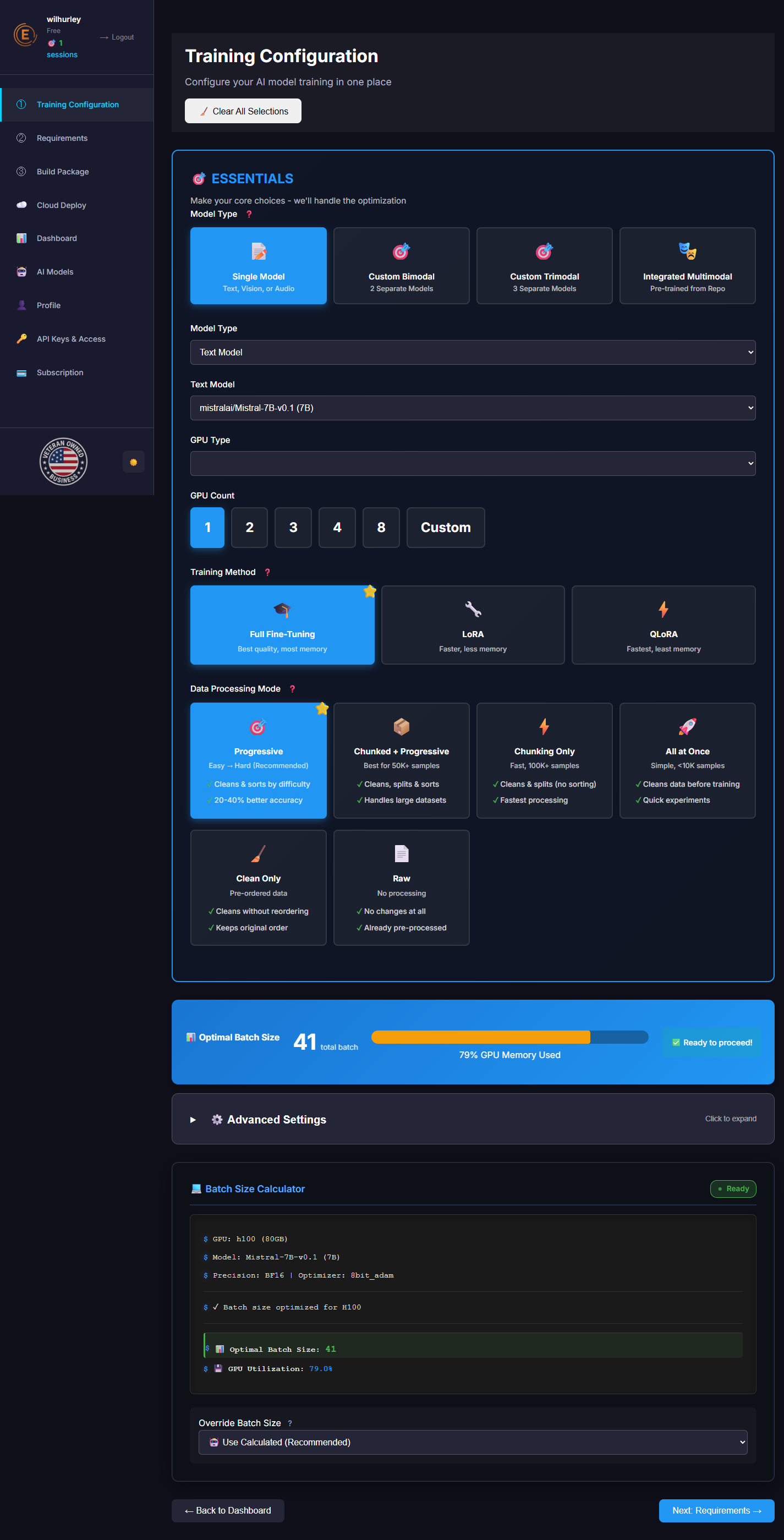
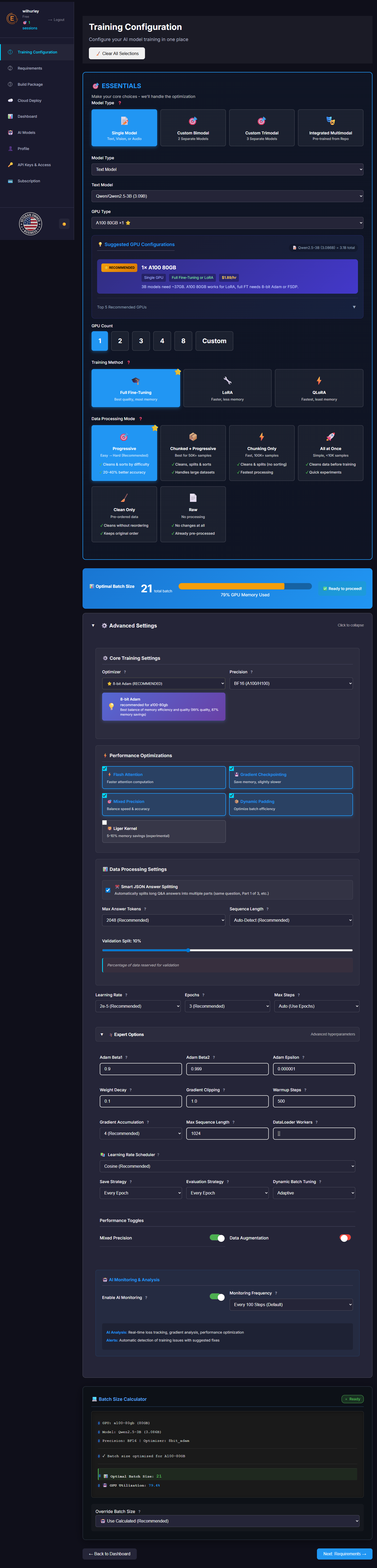
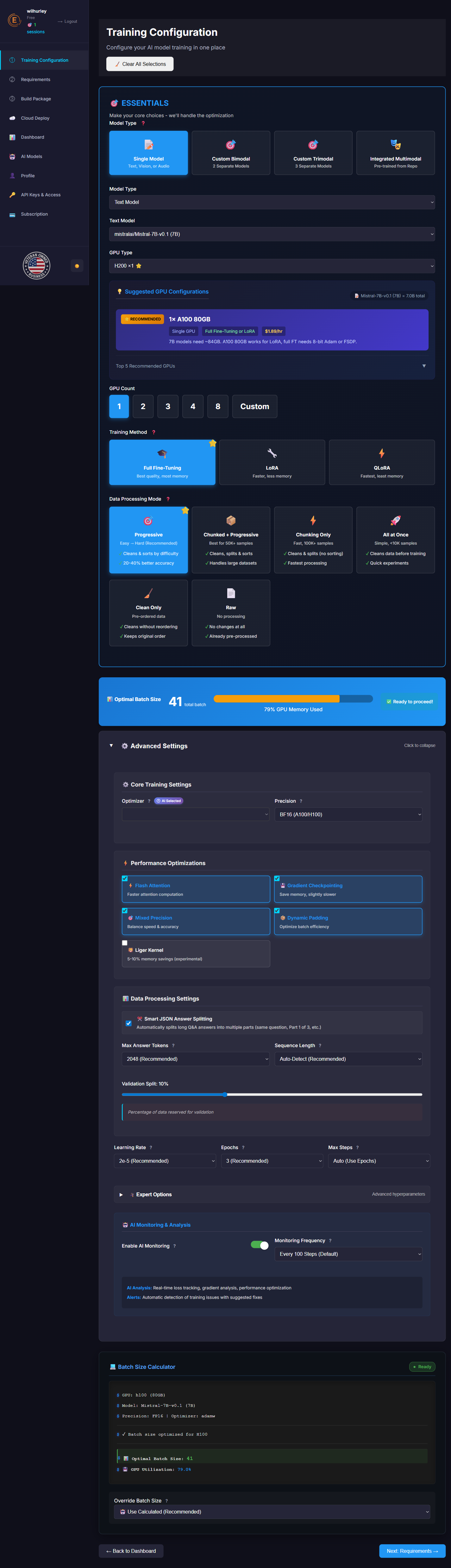
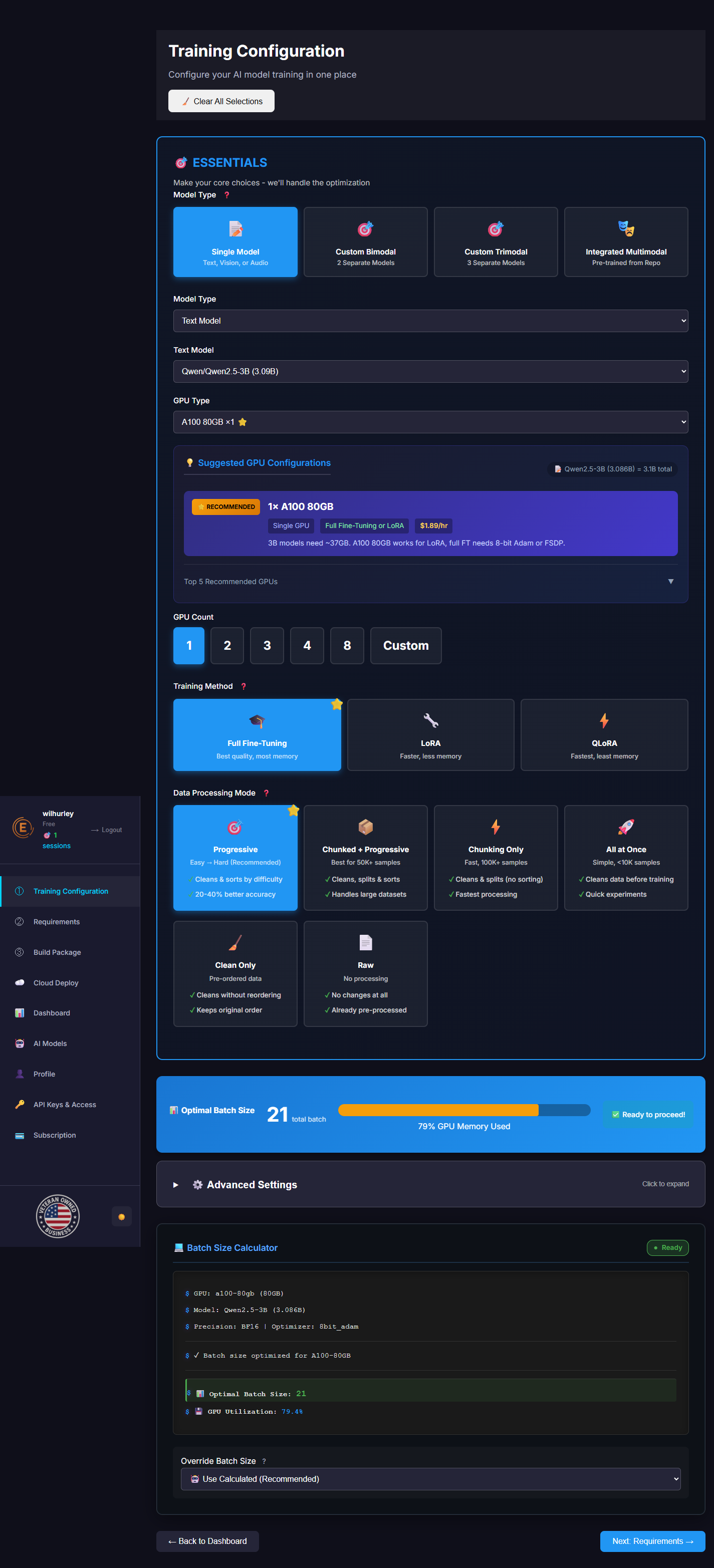
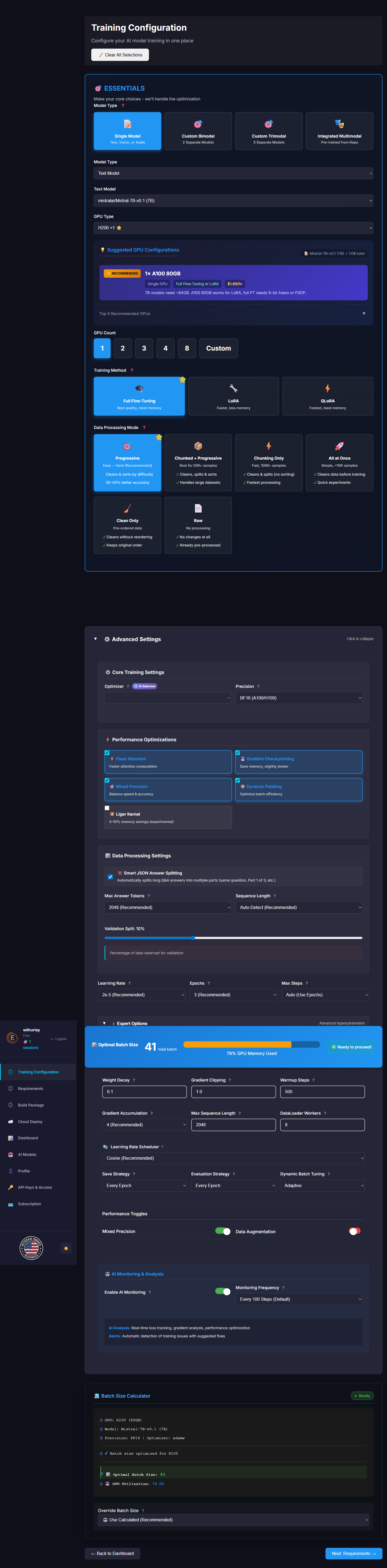
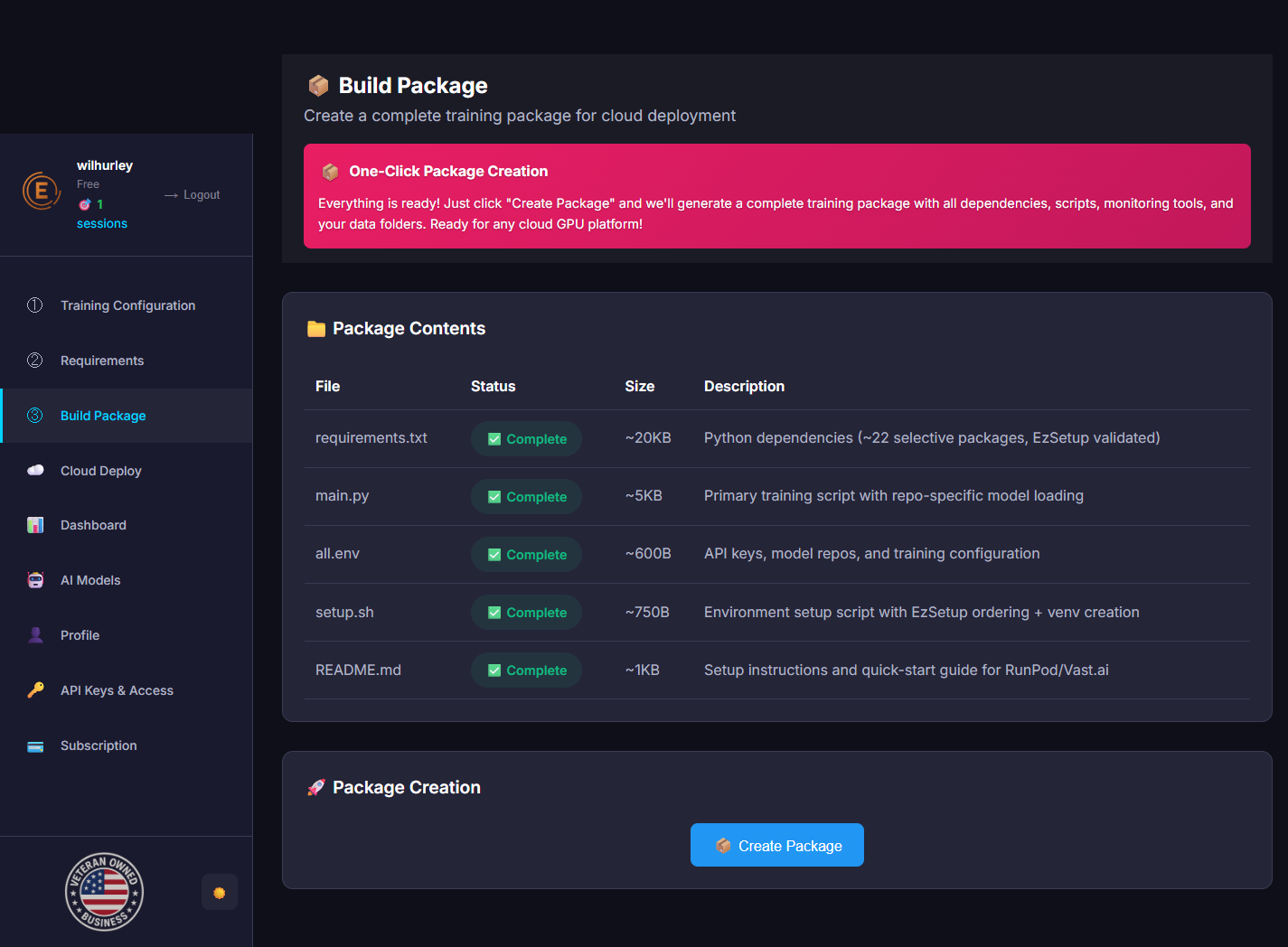
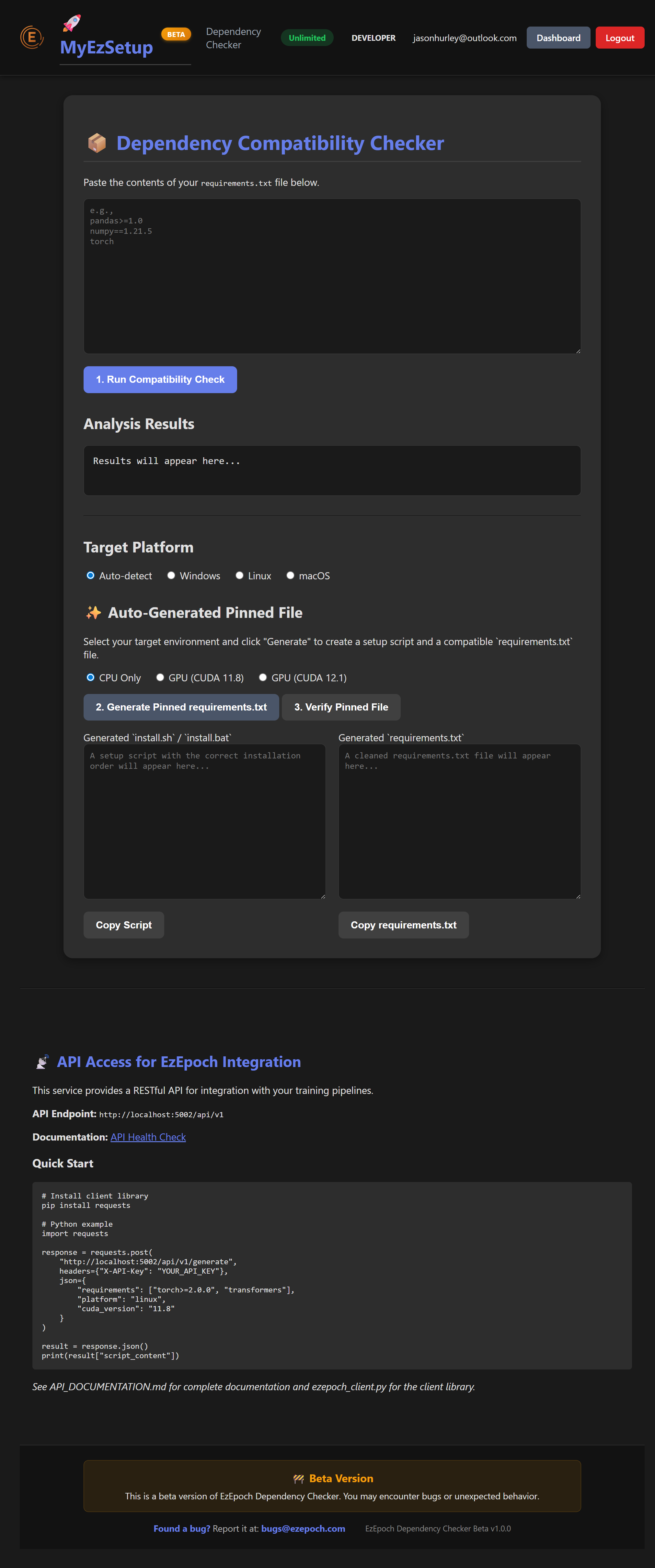
Requirements & Package Builder
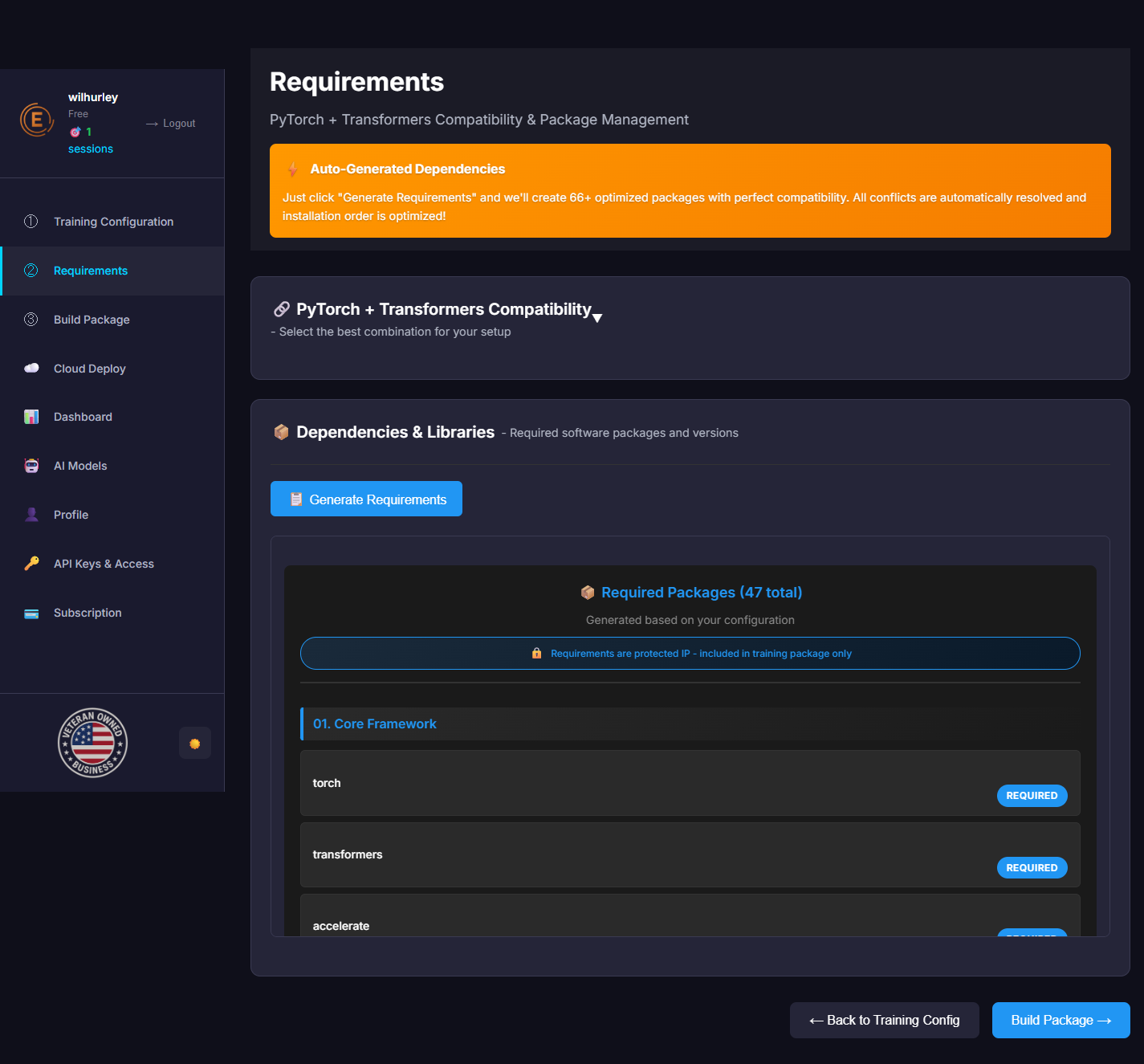
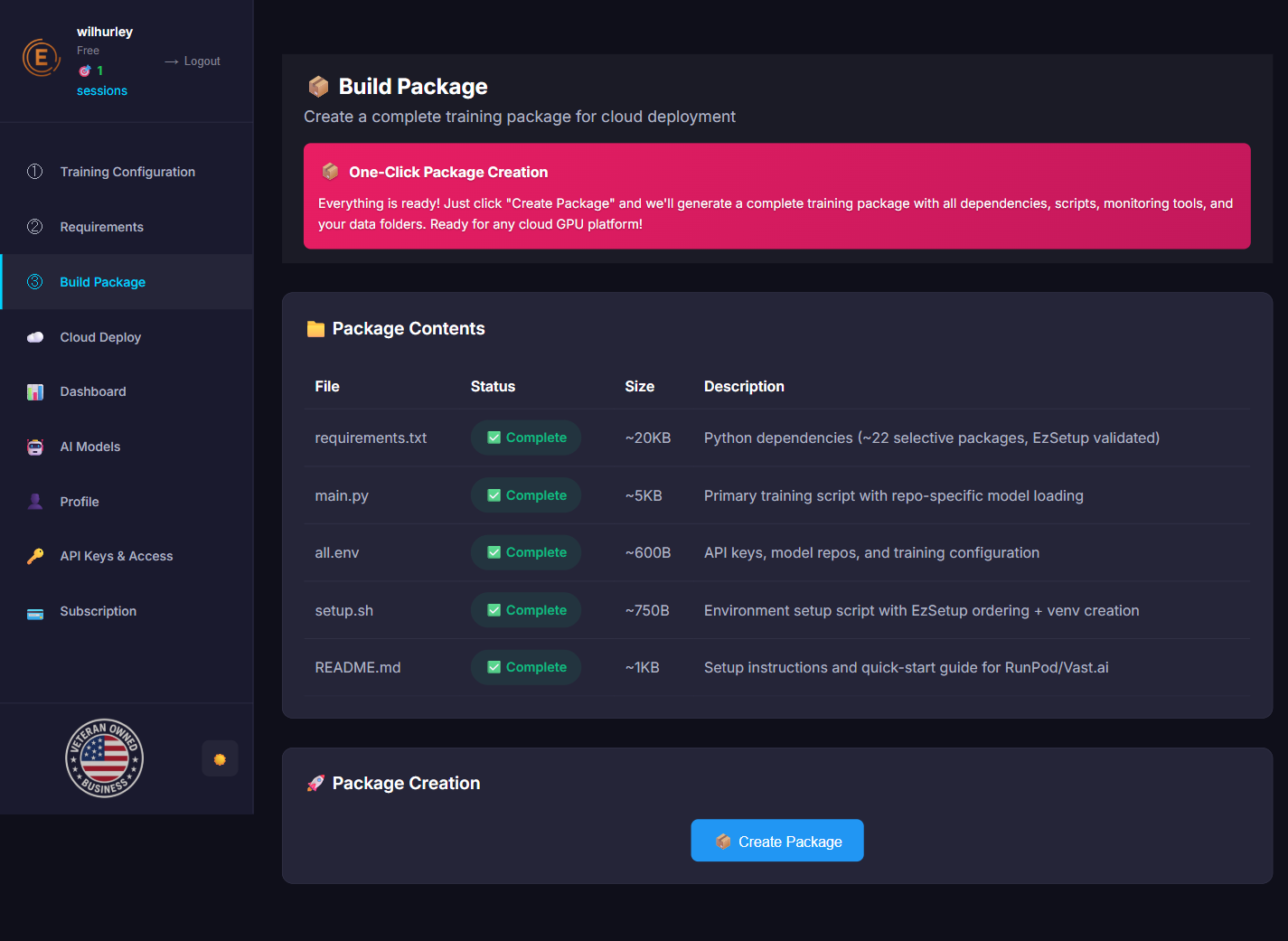
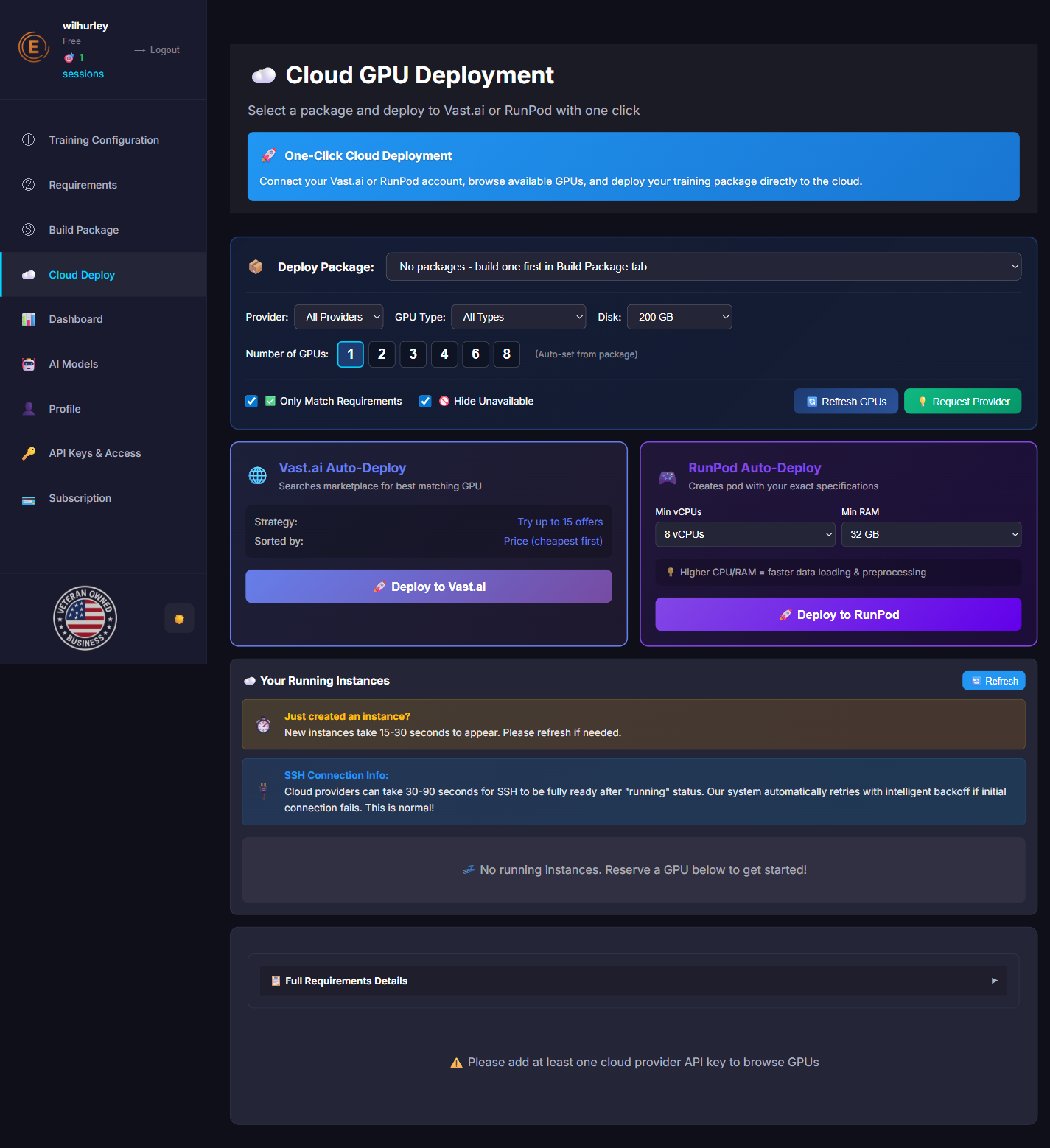
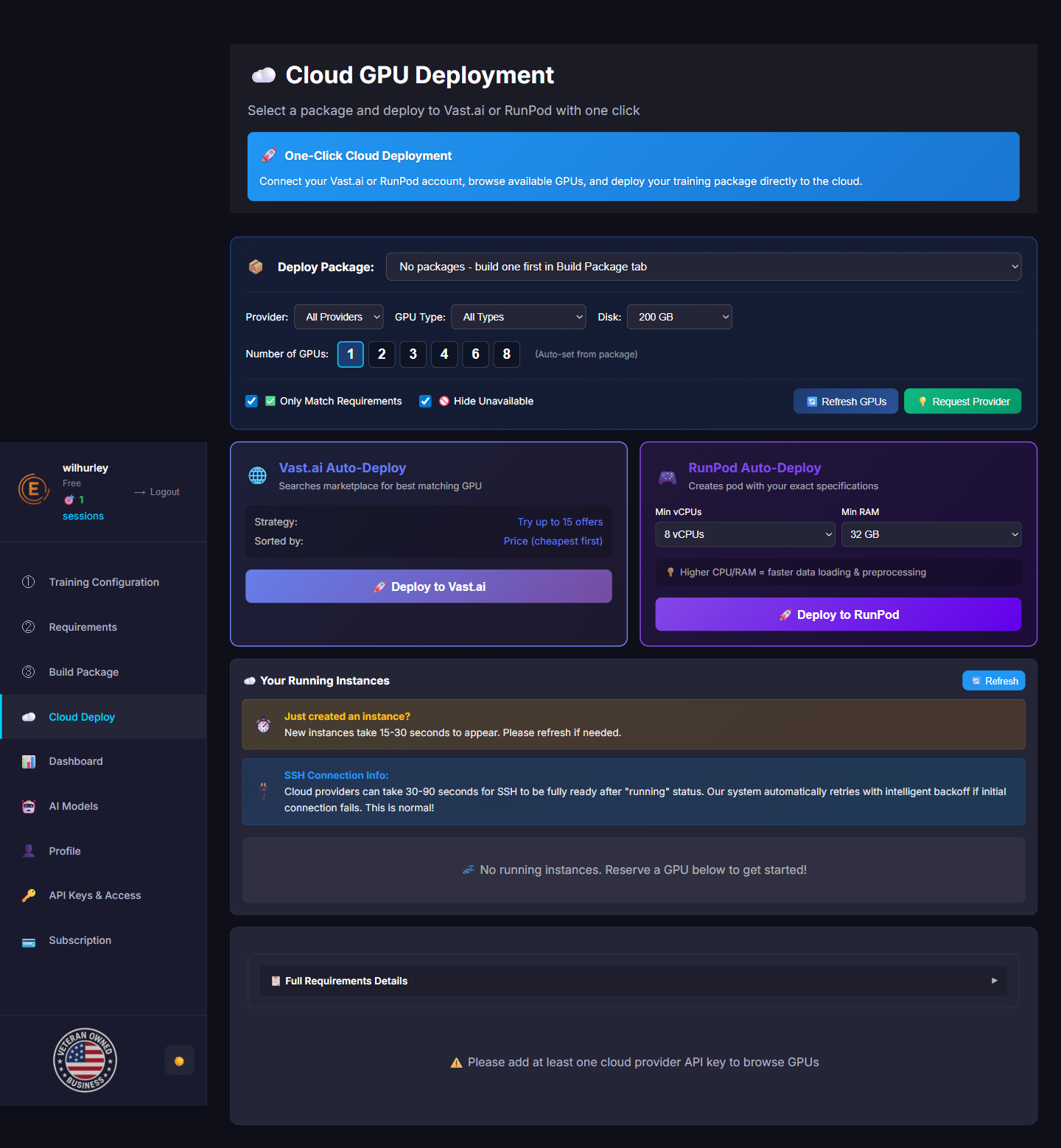
Cloud Deploy
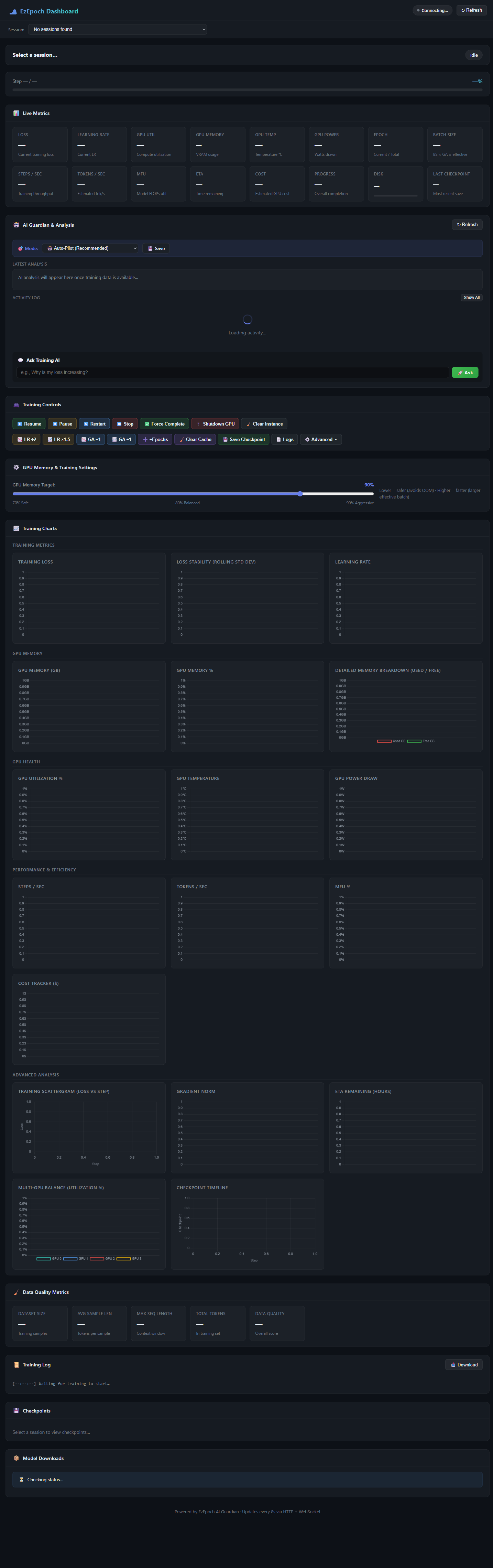
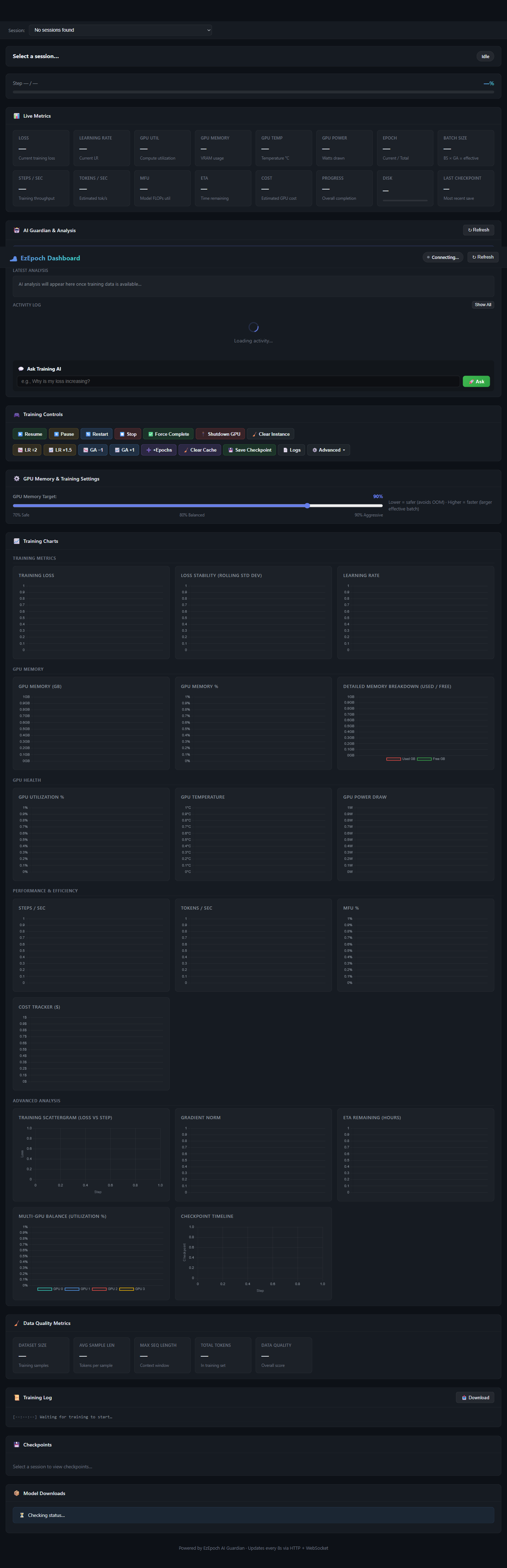
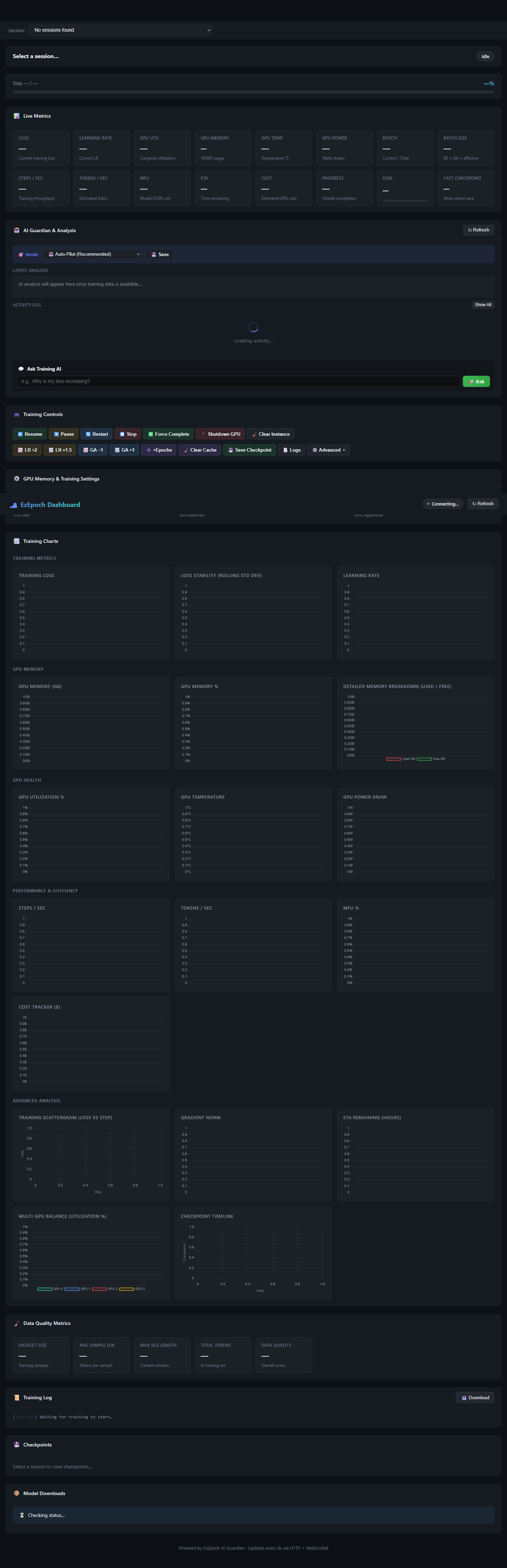
Live Dashboard & AI Monitoring
EzSetup — Dependency Resolver
🧙 Setup Wizard - Step-by-Step Guide (9 Pages)
The wizard walks you through everything you need, one step at a time
The Setup Wizard is perfect for beginners or when you want guided configuration. It breaks down the process into 9 easy pages.
Welcome
Choose to create a New Training Package or use Quick Deploy with an existing package.
API Configuration
Enter all your API keys (HuggingFace, OpenAI, etc.) and generate an SSH key for cloud deployment. We include an SSH key generator to make this easy!
Model Type
Select your training type: Text, Vision, Audio, or Real Multimodal. Custom configurations are available in the full App.
Model Selection
Choose your actual model like "Falcon 7B", "Llama 3 8B", "Mistral 7B", etc. The system shows memory requirements and compatibility.
GPU Configuration
Select the GPU you plan to use (RTX 4090, A100, H100, etc.). The system calculates optimal batch size and memory settings automatically.
Data Processing Mode
Choose how to handle your training data: Chunking, Progressive Examples, streaming options, and more.
Requirements Generation
Automatically generates all Python dependencies (66+ packages) with conflict checking and security analysis.
Training Package Generation
Creates your complete training package with all scripts, configurations, and the AI Guardian monitoring system.
Select Cloud GPU
Browse available GPUs on RunPod, Vast.ai, or use Custom SSH. Once your instance is running, click on it to start the Deployment Wizard.
⚖️ App vs Wizard - Which Should You Use?
Understanding the difference between the full App and the Setup Wizard
| Feature | 🧙 Setup Wizard | 🖥️ Full App |
|---|---|---|
| Best For | Beginners, quick setups | Power users, custom configs |
| Pages/Steps | 9 guided pages | Multiple tabs, all at once |
| Advanced Settings | Simplified defaults | Full access to all options |
| Custom Multimodal | Preset options only | Full custom configuration |
| GPU Calculations | ✅ Same algorithms | ✅ Same algorithms |
| AI Guardian | ✅ Included | ✅ Included |
| Deployment Flow | ✅ Same deployment wizard | ✅ Same deployment wizard |
🚀 Deployment Flow - From Config to Training
How to deploy your training package to cloud GPUs
The Correct Order:
- Build Config - Use Wizard or App to configure your training
- Select Cloud GPU - Browse and rent a GPU from RunPod, Vast.ai, or Custom SSH
- Choose Training Data - Select or upload your dataset
- Deploy - Click deploy and watch AI Guardian take over!
What Happens During Deployment:
- 1. Connection: EzEpoch connects to your GPU instance via SSH
- 2. Environment: Sets up Python, CUDA, and all dependencies automatically
- 3. Data Transfer: Securely streams your training data (never stored on our servers)
- 4. Training Start: Launches training with AI Guardian monitoring active
- 5. Real-Time Monitoring: Watch progress in your Dashboard with AI insights
🛡️ AI Guardian - Patent Pending Technology
Revolutionary AI monitoring that predicts and prevents training failures
AI Guardian is EzEpoch's patent-pending technology that uses real AI analysis to monitor your training runs. Unlike other platforms that just show metrics, we actively predict, prevent, and recover from issues.
🚀 What AI Guardian Does:
- 🔮 Crash Prediction (Patent Pending): Analyzes GPU memory, gradients, and training patterns to predict failures BEFORE they happen
- 🛡️ Auto-Recovery (Patent Pending): If a crash does occur, automatically recovers from the last checkpoint without losing progress
- 📊 Real-Time Analysis: Provides intelligent insights about your training performance, not just raw numbers
- 💡 Smart Recommendations: Suggests parameter adjustments to improve training speed and quality
- 📱 Mobile Monitoring: Check on your training from your phone - get alerts and control remotely
With AI Guardian, training failures drop from 40% (industry average) to less than 1%. That's real AI doing real work to protect your time and money.
☁️ Cloud GPU Setup Guide
How to connect RunPod, Vast.ai, or Custom SSH servers
Supported Providers:
🟣 RunPod
Enter your RunPod API key. EzEpoch will list available GPUs, pricing, and let you deploy with one click.
🔵 Vast.ai
Enter your Vast.ai API key. Browse the GPU marketplace directly within EzEpoch.
🟡 Custom SSH
Use any server with SSH access - AWS, GCP, your own hardware, or any other provider.
🔧 Troubleshooting Common Issues
Quick fixes for the most common problems
- SSH Connection Failed: Make sure your SSH key is added to the cloud provider. Use our built-in SSH key generator in the wizard.
- Out of Memory (OOM): AI Guardian should prevent this, but if it happens, try: smaller batch size, enable gradient checkpointing, or use a larger GPU.
- Training Stuck: Check the Dashboard for AI Guardian alerts. It may be waiting for data or encountering a known issue.
- API Key Invalid: Double-check your HuggingFace/OpenAI keys. Some models require accepting license agreements on HuggingFace first.
- Model Not Found: Ensure the model name matches exactly (case-sensitive). Check if it's a gated model requiring special access.
Ready to Train Your AI Model?
Join developers using EzEpoch's AI Guardian (Patent Pending) for 99% training success rates
Start Free Trial →